
How to Improve Website Page Speed for Better SEO
Introduction
Imagine visiting a website to find important information, but the page takes several seconds to load. You might wait for a short time, but if nothing appears, you may return to Google and choose another website. This simple experience shows why website speed matters for both users and businesses.
A fast website makes it easier for visitors to explore pages, read content, and find the information they need. A slow website can create frustration, interrupt browsing, and reduce the chances of turning visitors into customers.
Website speed is also an important part of technical SEO. Google uses page experience signals, including Core Web Vitals, to help assess the experience a website provides. Improving loading performance can support a stronger SEO strategy, although faster loading alone does not guarantee higher rankings.
In this guide, you will learn how to improve website page speed for better SEO, identify common performance problems, and apply practical techniques to create a smoother browsing experience.
What Is Website Page Speed?
Website page speed describes how quickly a webpage loads and becomes usable for visitors. It involves more than displaying the first part of a page. Users should also be able to see important content, interact with buttons, and navigate without unnecessary delays.
Several elements can affect loading performance, including image sizes, server response time, website code, fonts, scripts, and hosting quality.
For example, a business website with large photographs, several animation effects, and multiple third-party plugins may take longer to load than a simpler website with optimized resources.
Page speed can vary between individual pages. Your homepage may load quickly while a service page containing many images or scripts performs poorly. Therefore, it is useful to test important pages separately instead of relying on one website-wide score.
Why Is Page Speed Important for SEO?
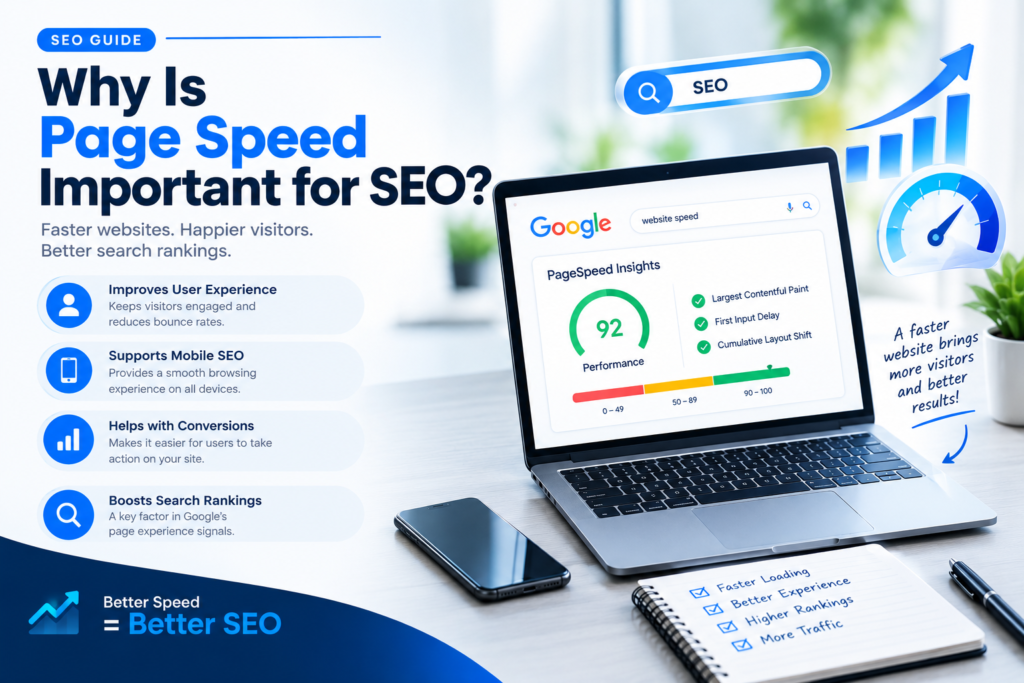
1. It Improves the User Experience
Visitors expect websites to respond quickly, especially when browsing on mobile devices. Faster pages make it easier to read articles, explore services, and move between sections.
A website that responds smoothly gives visitors fewer reasons to leave because of technical frustration.
2. It Supports Better Mobile Browsing
Many people access websites through mobile phones and mobile networks. Large files and unnecessary scripts can make pages slow on these connections.
Optimizing your website for mobile performance helps visitors access information even when their connection or device is less powerful.
3. It Can Support Conversions
A slow website may interrupt actions such as submitting a contact form, exploring a product, or completing a purchase.
Improving performance can reduce unnecessary delays during these activities. The effect on conversions will depend on your audience, website design, and the specific problems being fixed.
4. It Contributes to Page Experience
Google considers multiple factors when ranking search results, including relevance, content quality, and various page experience signals. Core Web Vitals measure important aspects of loading performance, responsiveness, and visual stability.
A good performance score is useful, but it does not replace helpful content, relevant keywords, or a technically accessible website.
1. Test Your Website Speed Before Making Changes
The first step is to understand how your website currently performs.
Instead of guessing which element makes your pages slow, use website performance tools to identify potential problems.
Useful tools include:
- Google PageSpeed Insights: Evaluates a page using laboratory tests and, when available, real-user performance data.
- Google Lighthouse: Audits performance and other aspects of a webpage.
- GTmetrix: Provides performance reports and information about loading resources.
- Google Search Console: Helps you review the Core Web Vitals information available for your website.
Start by testing your homepage and your most important service or landing pages. Record the results before making changes so you can compare performance afterward.
Run tests more than once when necessary because server conditions, network speed, and caching can affect individual results.
Do not focus only on a single score. Examine the recommendations and identify which issues are affecting the actual visitor experience.
2. Optimize Images for Faster Loading
Images can make a website attractive and informative, but large image files may increase loading time.
For example, uploading a full-resolution photograph directly from a camera may add unnecessary weight to a webpage when a smaller version would look equally good on screen.
Use these image optimization practices:
- Resize images to match their display dimensions.
- Compress files while maintaining acceptable visual quality.
- Choose suitable formats such as WebP or AVIF when supported.
- Use descriptive filenames where appropriate.
- Add meaningful alternative text to informative images.
- Avoid loading unnecessary decorative images.
For example, a photograph displayed at approximately 800 pixels wide usually does not need to be uploaded at several thousand pixels wide unless the design requires it.
Consider responsive images so browsers can select a suitable image size for different screens.
Be careful with lazy loading. It can help images lower down a long page load only when needed, but the main image visible immediately when the page opens should generally not be delayed unnecessarily.
3. Choose Reliable Website Hosting
Your hosting service influences how quickly your website can respond to visitor requests. Even well-optimized pages may feel slow if the server takes too long to deliver them.
When reviewing your hosting, consider:
- Server response time
- Available server resources
- Expected visitor traffic
- Server location in relation to your audience
- Caching support
- Technical support and reliability
If your website serves customers mainly in Kerala or elsewhere in India, choose hosting and delivery options that provide reliable performance for your target audience.
Shared hosting may be sufficient for a small website, but resource limitations can become noticeable as traffic and website complexity increase.
Before changing providers, measure server response time and investigate whether plugins, database queries, or configuration problems are contributing to delays. Moving to more expensive hosting is not always the first or only solution.
4. Reduce Unnecessary Plugins and Scripts
Website plugins can add useful features, but too many poorly optimized plugins may increase the amount of code a browser needs to process.
This is particularly relevant to WordPress websites built with page builders such as Elementor.
Review your installed plugins and ask whether each one provides a necessary function. Remove unused plugins and replace inefficient tools when a suitable alternative exists.
Also examine scripts added by:
- Live chat widgets
- Social media integrations
- Advertising tools
- Tracking services
- Animation libraries
- External video embeds
Some scripts load resources from third-party servers, creating delays that you cannot fully control.
Do not remove essential security, backup, or business features simply to reduce the plugin count. Focus on unnecessary work, overlapping functionality, and resources that have a measurable performance impact.
5. Minify CSS, JavaScript, and HTML
Webpages use code to control structure, design, and interactive behavior. Files containing unnecessary spaces, comments, or formatting can sometimes be reduced in size through minification.
Minification removes certain characters that are not required for the browser to interpret the code.
You may be able to minify:
- HTML, which structures page content
- CSS, which controls visual presentation
- JavaScript, which provides interactive features
Smaller files can reduce the amount of data transferred to the browser. However, the benefit depends on your current setup and the size of the files involved.
Use a reliable optimization plugin or build tool where appropriate. After enabling minification, test your website carefully because poorly configured optimization can break menus, forms, sliders, or other features.
Keep a backup or a clear way to reverse changes before adjusting performance settings.
6. Use Browser Caching and Server Caching
Caching stores certain website resources so they do not need to be generated or downloaded from scratch every time a visitor opens a page.
Browser caching allows a visitor’s browser to reuse eligible files, such as images, stylesheets, and scripts, on later visits.
Server or page caching can store prepared versions of webpages, reducing the work required to generate the same content repeatedly.
For WordPress websites, caching may be available through the hosting provider or a compatible caching plugin.
Configure caching according to your website’s needs. Dynamic pages, logged-in user areas, and shopping cart functions may require different rules from ordinary blog posts.
After enabling caching, clear the relevant cache and test important pages. This helps ensure visitors see updated content and that interactive features continue to work correctly.
7. Improve Core Web Vitals
Core Web Vitals are Google’s metrics for important aspects of the user experience. Understanding them can help you prioritize performance improvements.
Largest Contentful Paint (LCP)
LCP measures how quickly the main visible content appears. A good LCP result is generally 2.5 seconds or less.
Large hero images, slow server responses, and render-blocking resources can delay this measurement.
To improve LCP, optimize the main image, improve server response time, and ensure important content can load without unnecessary delays.
Interaction to Next Paint (INP)
INP measures how responsive a page is to user interactions throughout a visit. A good INP result is generally 200 milliseconds or less.
Heavy JavaScript and lengthy browser tasks may make buttons, menus, and forms respond slowly.
Review unnecessary scripts, reduce long-running tasks, and improve the code responsible for interactive features.
Cumulative Layout Shift (CLS)
CLS measures unexpected movement of page elements while a page loads. A good CLS result is generally 0.1 or less.
For example, text may move downward when an image appears without reserved space, making a visitor accidentally click the wrong link.
Specify image dimensions, reserve space for advertisements where appropriate, and avoid inserting new content above existing content without warning.
These thresholds help guide optimization, but results should be evaluated using the available field data and testing tools.
8. Improve Your Website for Mobile Devices
A website may perform well on a desktop computer but load slowly on a mobile phone. Mobile optimization should therefore be part of your page speed strategy.
Use a responsive design that adapts to different screen sizes. Avoid oversized images, unnecessary animation, and complex layouts that require excessive processing.
Check whether mobile visitors must download resources that are only needed for the desktop version.
If you use Elementor, review mobile-specific sections and widgets. Hidden elements may still load resources depending on how they are implemented, so simply hiding a widget does not always eliminate its performance cost.
Test menus, buttons, forms, and navigation on actual mobile devices when possible. A fast page should not only display quickly but also remain easy to use.
9. Consider a Content Delivery Network
A content delivery network, or CDN, distributes eligible website resources across servers in different locations.
When a visitor requests a resource, the CDN may deliver it from a nearby server instead of requiring every request to reach the original hosting server.
A CDN can be particularly useful for websites serving visitors across several regions or countries. It may also help deliver images, stylesheets, scripts, and other static files efficiently.
However, a CDN is not a complete solution for every performance problem. It will not automatically fix oversized images, excessive JavaScript, or a poorly designed webpage.
Evaluate your audience, hosting setup, and resource delivery before choosing a CDN.
10. Monitor Performance After Every Major Change
Website speed optimization should be an ongoing process rather than a one-time task.
After changing images, caching settings, hosting, or website code, test the same pages again. Compare the results with your original measurements.
Check whether the changes improved loading performance without causing problems with the website’s design or functionality.
Monitor important pages such as the homepage, service pages, blog articles, and landing pages used in marketing campaigns.
You should also review performance after installing new plugins, changing themes, adding tracking scripts, or publishing pages containing large media files.
Use Google Search Console’s available Core Web Vitals reports to identify groups of pages that may need attention. Remember that real-user data may take time to reflect recent improvements.
Common Website Speed Mistakes to Avoid
When optimizing your website, avoid these common mistakes:
- Uploading large images without resizing or compression
- Installing several plugins that perform the same task
- Enabling every optimization setting without testing
- Delaying the main image that visitors need to see first
- Ignoring mobile performance
- Using excessive animation and third-party scripts
- Focusing entirely on a perfect score instead of real usability
- Making changes without keeping a backup
- Forgetting to retest important website functions
The most effective approach is to identify the largest problems, fix them carefully, and measure the results.
Conclusion
Improving website page speed can make your website easier to use and support your wider SEO efforts. A faster browsing experience helps visitors access information, interact with page elements, and explore your services with fewer delays.
Start by measuring your website’s performance, then optimize images, review hosting, remove unnecessary scripts, and configure caching appropriately. Pay attention to Core Web Vitals and test your website on mobile devices as well as desktop computers.
Remember that page speed is only one part of successful SEO. Relevant content, useful information, technical accessibility, and a positive visitor experience remain important.
By measuring performance regularly and making improvements based on evidence, you can build a website that serves visitors more effectively and supports your long-term search visibility.